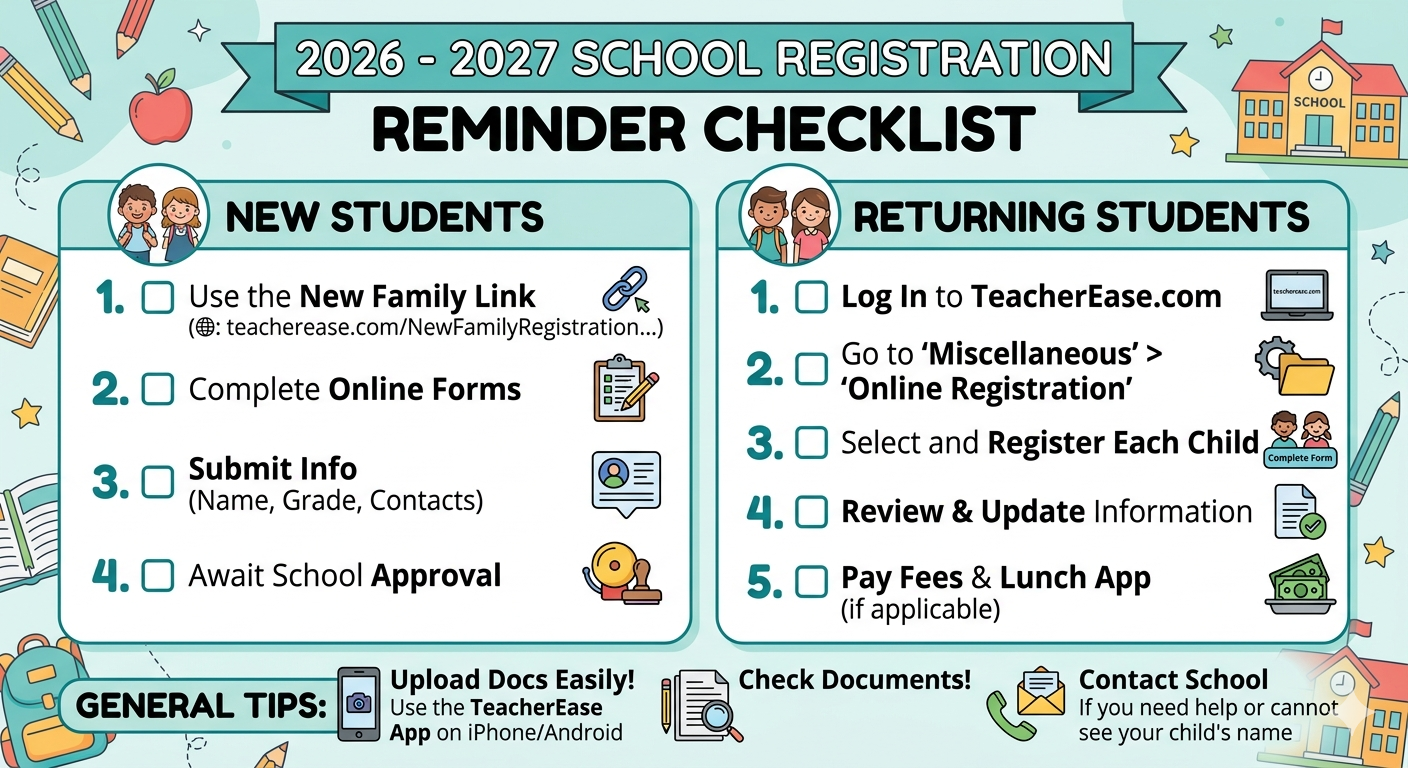
Online Registration
Registration for the 2026–2027 school year is officially open.
Whether you are joining our school family for the first time or returning for another year, we’ve made the process simple.
To make things even easier, you can download the TeacherEase app (App Store or Google Play) to register and upload your residency documents directly from your phone.
1. Families NEW to the District
If this is your first time registering a student in our district, please use the link below to get started:
2. Families with RETURNING Students
If your child is already enrolled, log in to your account at www.teacherease.com.
How to find the registration page:
-
You should be sent there automatically.
-
If not, just click Miscellaneous and then Online Registration.
-
Note: If you don't see your child's name, please contact the school office.
Steps to complete:
-
Click "Continue registering existing students."
-
Click "Complete Form" for each child.
-
Review any extra documents and pay fees (if applicable).
-
Fill out the Free/Reduced Lunch Application (if applicable).
-
Once you're done, we will review and approve everything!
3. Families with BOTH (New & Returning Students)
If you have a returning student and a brand-new student (like a new Kindergartner), please follow this order:
-
First: Use the New Family Link to register your new student.
-
Second: Register your existing student(s) by logging into your TeacherEase account (see Step 2 above).